
As a signatory, you can delegate documents that have been uploaded to other parties, for example to lawyers or others so that the documents can be reviewed and signed by interested parties. Here are the steps.
-
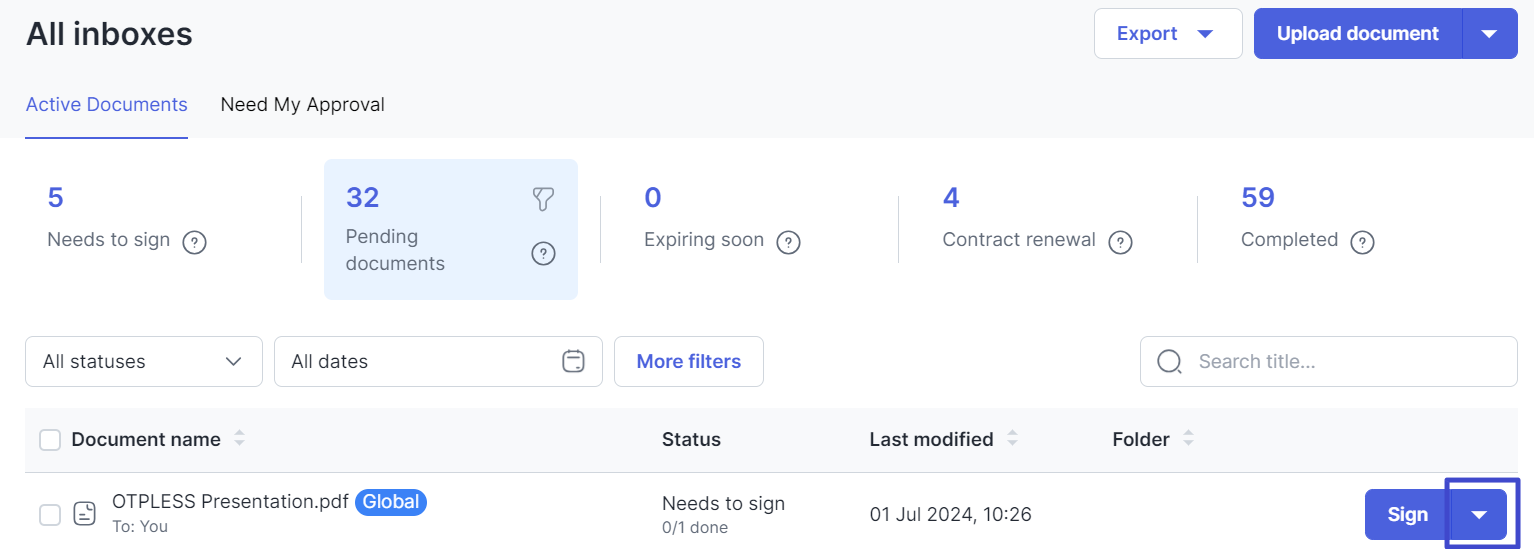
Select the document to be forwarded then click "Down arrow".
Document that can be delegated must have the status Need to sign. And documents can only be delegated to users registered with Mekari Sign.
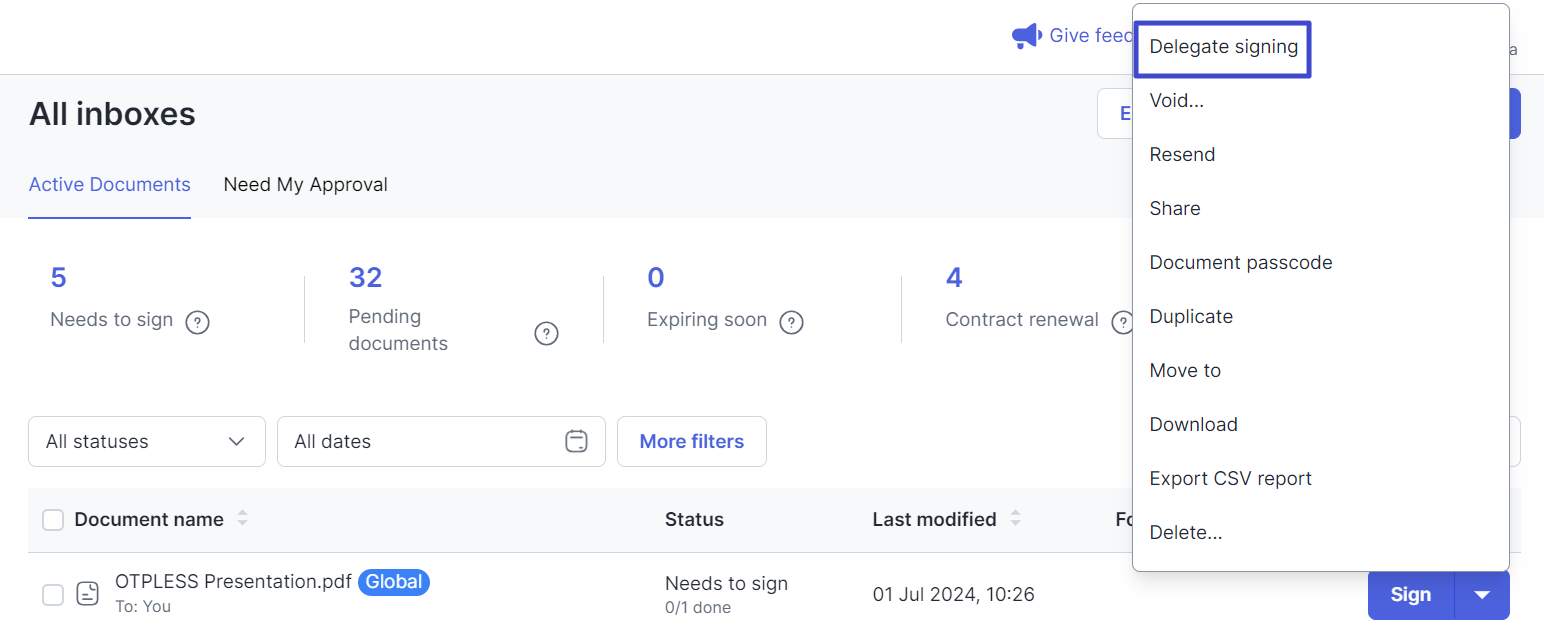
Then select Delegate signing.
-
The following pop-up will appear . In this section, you can select Internal user to select a user registered in the User Management of your Mekari Sign account, or External user to select a user outside of Mekari Sign.
If you select External user , you can share documents with people outside your company or users not registered on the User Management page . For example, sending documents to clients.
If you choose Internal user, select the user and enter the reason for delegating the document in the Reason field.
-
If you choose External user, enter the email and the reason in the fields provided, then click “Delegate.”
When you as the initial signer have delegated the document to another user, you will still be involved in the document as the recipient of the copy.
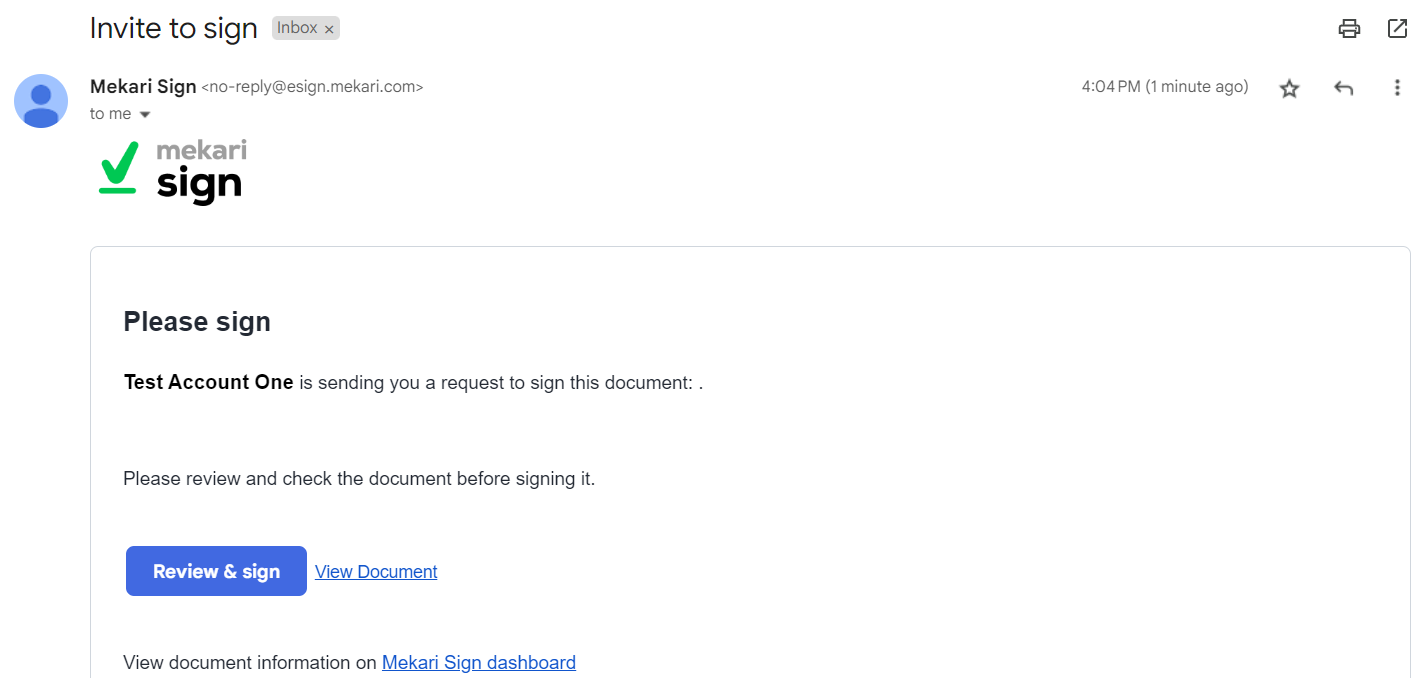
Then the email received by the delegated user will look like this. And the user can sign or review the documents received.
This concludes the explanation on how to delegate a document. Next, learn how to sign and affix an e-Meterai here.